Smart Locks, Smart Access:
How to Grant Temporary Entry to Holiday Guests
Quick Takeaways
- You can grant temporary smart lock access for holiday guests by generating unique codes or digital keys valid for a defined timeframe.
- Treat guest stays as an event window – define start/end times, monitor use, and revoke access afterwards.
- Use your smart-home ecosystem (lock logs, security system integration) to boost peace of mind, not fear.
- Always have a backup entry method and ensure household members understand the guest-access plan.
- After the visit, always reset or delete that access code — lingering permissions are a common security gap.
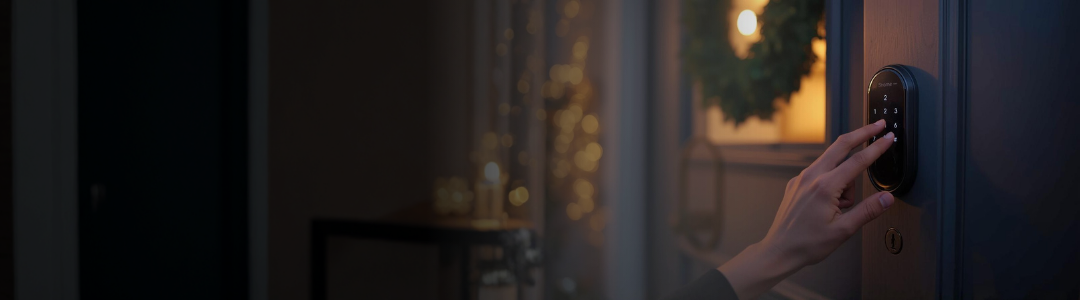
The holiday season brings the joyful hustle and bustle of visitors, friends, and family arriving at your doorstep. As a homeowner, you want to welcome them with open arms while also safeguarding your home and peace of mind. With today’s smart-home technology, granting temporary smart lock access for holiday guests has never been easier or more secure. This how-to guide shows you how to use a smart lock system to give guests access during the holidays, without compromising long-term security or creating key-hand-off headaches.
We’ll cover how to set up unique passcodes or digital keys, monitor access, revoke permissions, and maintain your overall home security. Whether you’re expecting Grandma for cookies or hosting out-of-town friends overnight, you’ll feel confident knowing you have control. And because we know homeowners value prevention and peace of mind, we’ll focus as much on the “why” as the “how”.
Why Temporary Smart Lock Access Matters During the Holidays
Balancing convenience and security
Traditional keys are easy to lose or duplicate, and handing over a physical key can feel like relinquishing control. Smart locks offer a fresh alternative: with a keypad, app, or digital key, you can generate a unique entry code or a time-limited digital credential for a guest and revoke it when they leave. Studies show that access codes reduce risk compared with shared keys.
Holiday scenarios where temporary access is beneficial
- A cousin arriving late the night before Christmas: you create a code that’s valid from 10 p.m. to 10 a.m.
- A trusted friend dropping by to feed pets while you’re on vacation: issue a code for those dates only.
- A contractor coming to install holiday lights while you’re at work: generate a one-time code.
By customizing access windows, you maintain control and boost guest satisfaction; especially as 30 to 45-year-old guests who increasingly expect “smart access” flexibility.
Unique insight: treating access like an event window
Here’s a unique perspective: treat your holiday guest’s stay as an “event window” for your house. Define clear start and end times, monitor activity during that window (via lock logs or door-bell camera), and revert to your baseline security once the event ends. That mindset helps homeowners avoid “open-ended guest codes” that linger and increase risk.
Step-by-Step: Setting Up Unique Temporary Passcodes or Digital Keys
1. Choose (or confirm) a compatible smart lock system
Before you can grant temporary access, make sure your system supports unique codes or guest-access features. Confirm via your MyGuardianAlarm app or control panel that you can set a code, define a timeframe, and revoke permissions.
2. Define your guest access window
- Determine the exact dates and times your guest will arrive and depart.
- Assign a unique code (e.g., “HLDY23”) or a digital key via your smart-lock app.
- Set the code to expire automatically after the visit, or plan to manually expire it when they leave.
- Example: “Code valid 12/22 at 1 p.m. through 12/25 at 11 a.m.”
3. Communicate instructions clearly
Send your guest a message that includes:
- Their unique code (or digital-access instructions).
- The door they’ll use (e.g., front door, mudroom).
- The timeframe for access.
- Any additional house rules. A clear message helps them arrive smoothly if you aren’t home.
4. Monitor access during their stay
One of the smart-lock advantages: you’ll get an access log showing when the door is unlocked and by which code. If you notice unusual entries outside the timeframe, you can address it immediately. This is especially helpful when balancing convenience and control.
5. Revoke or reset access after the visit
Once your guest departs, either:
Delete the code entirely, or dhange it and generate a new one for your next holiday guests. This ensures there’s no lingering access window. Legacy or shared codes are among the biggest security risks in guest-access scenarios.
Best Practices and Smart Home Integration Tips
Use access windows, not indefinite permissions
Avoid giving indefinite codes like “use this anytime”. Instead: narrow it to “12/24 2 p.m.–12/26 10 a.m.” This limits risk and aligns with your holiday event mindset.
Create separate codes for different purposes
Consider separate codes for family, overnight guests, service providers, and children. That way you can track or revoke each category individually. Some systems may limit this so make sure to check your model.
Integrate with your overall home-security ecosystem
If you already have a monitored home-security system from Guardian Alarm, make sure the smart lock integrates. For example, trigger on-screen alerts when a temporary code is used during odd hours, or pair with your door-bell cam for added verification.
Backup for connectivity failures
Even smart systems can fail (e.g., WiFi outage or dead batteries). Ensure you have a backup: a physical key hidden securely, or manual override available.
Educate household members
Make sure everyone in the home knows:
- What code guests will use and when access will end.
- Where to park, what door to use, or when you will be home.
This internal coordination reduces miscommunication and improves the guest experience.
This holiday season, you can welcome loved ones into your home with warmth and hospitality and still maintain the kind of control and peace of mind that responsible homeowners value. By using temporary access features on your smart lock system, you’ll give guests a seamless arrival, while ensuring that once their stay ends, your home returns to its secure, trusted baseline.
At its core, home security isn’t about fear of what might happen, it’s about the confidence and comfort that you’re prepared. With the smart access strategy outlined above, you blend convenience and prevention: your guests get effortless entry, and you retain the ultimate control.
Ready to get started? Log in to your MyGuardianAlarm app this week and create your first temporary smart lock access for holiday guests with a clear start/end date, then enjoy the season with your friends and family, confident your home is secure.
If you’re interested in taking this a step further, consider pairing your smart lock with full-monitoring services from Guardian Alarm, a local support team, 24-hour monitoring and seamless integration with smart home devices. Your guests feel welcome, and you rest easy knowing professional oversight stands ready.
