How to Test Your Security System
A Simple Monthly Checklist for Homeowners
Quick Takeaways
- Proactive Prevention: Knowing how to test security system prevents “silent failures” like dead batteries, misaligned sensors, or connectivity drops before an emergency occurs.
- Notify First: Always place your system in “Test Mode” with Guardian Alarm’s monitoring center before triggering any alarms to avoid police dispatch.
- The “Walk Test”: Regularly walking past motion sensors and opening windows ensures that physical obstructions or structural settling haven’t compromised your perimeter.
- Camera Hygiene: Cleaning camera lenses of spiderwebs and dust is crucial for clear night vision and accurate AI detection.
- Connectivity Check: Verifying that your panel communicates correctly with the monitoring station is the single most important step in the process.
Introduction: The “Set It and Forget It” Trap
We buy home security systems for one primary reason: peace of mind. There is a profound sense of comfort in knowing that when you lock your doors at night or head out for a winter vacation, your home is protected by an invisible shield. However, that peace of mind relies on a critical assumption—that everything is working exactly as it did the day it was installed.
Technology, however, is not static. Batteries drain, houses settle, Wi-Fi networks fluctuate, and renovations changed the layout of our rooms. A security system is not a “set it and forget it” appliance; it is a living ecosystem that requires occasional care to ensure it’s ready to perform when seconds count.
Imagine driving a car for five years without ever checking the tire pressure or the oil. It might run fine for a long time, but eventually, reliability will falter. Your home security system is the engine of your family’s safety. Implementing a simple, 15-minute monthly testing routine doesn’t just check a box; it guarantees that the link between your home and Guardian Alarm’s monitoring center is strong, active, and ready to respond.
In this guide, we will walk you through a comprehensive, stress-free monthly checklist to test your system. We will move beyond the basics, offering professional insights into how sensors work and how to maintain them, ensuring your home remains the sanctuary it was meant to be.
How to Test Your Security System
Step 1: The Golden Rule (Safety First)
Before you open a single window or press a button, there is one non-negotiable step: You must prevent a false alarm.
Testing your system means you are going to intentionally trigger it. If you do this without preparation, you will trigger a response from our monitoring center, and potentially, local law enforcement. False alarms tie up emergency resources and can result in municipal fines.
Placing Your System in Test Mode
Modern security creates a direct line to help. To test that line without summoning the police:
- Call the Monitoring Center: Contact Guardian Alarm’s monitoring station. Have your account number and verbal password ready.
- Request “Test Mode”: Clearly state that you are testing your system and ask to place the account on “test” for a specific duration (e.g., one hour).
- Confirm Status: Wait for the operator to confirm that the system is in test mode.
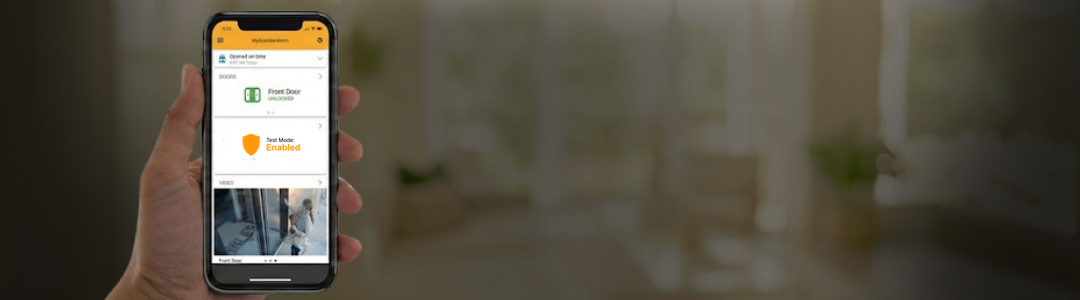
Note: Many modern systems also allow you to enter a localized “System Test” mode directly from your keypad or the Guardian app, which suppresses the signal to the monitoring station while testing local sensors. However, for a full verification that signals are leaving your house, calling the monitoring center is the gold standard.
Step 2: The Perimeter Check (Doors and Windows)
Your perimeter protection is your first line of defense. Door and window contacts generally use a technology called a “reed switch”, a magnet on the door/window aligns with a sensor on the frame. When that magnetic field is broken, the alarm trips.
Over time, doors can warp due to humidity, hinges can sag, and adhesives can dry out, causing these magnets to drift out of alignment.
The “Chime” Test
You do not need to set off the full siren to test these.
- Disarm your system.
- Turn on the “Chime” feature on your keypad. This feature causes the panel to beep or speak (“Front Door Open”) when a sensor is triggered.
- The Physical Lap: Walk around your home to every alarmed door and window.
- Open the door/window: Listen to the chime and look for the confirmation on your keypad or mobile app.
- Close it firmly: Ensure the “Ready” light returns.
- Check for “Wiggle Room”: With the door closed and locked, jiggle the handle. If the door moves enough to trigger the chime while locked, your sensor alignment is too sensitive, or your weather strip has compressed. This is a common cause of false alarms during high winds.
Visual Inspection
While testing, look at the sensors. Are they painted over? (Paint can insulate the sensor). Is the adhesive failing? If a sensor falls off while the system is armed, it will trigger an immediate alarm.
Step 3: Interior Protection (Motion Detectors)
Motion detectors are often misunderstood. Most residential sensors use Passive Infrared (PIR) technology. They don’t “see” you like a camera; they detect rapid changes in heat energy moving across a grid of protective zones.
The “Walk Test” Mode
To test motions properly, you usually need to enter the specific “Walk Test” mode on your keypad. This allows you to trigger the motion sensor without the siren blaring, usually indicated by a red LED light on the sensor itself flashing when it catches you.
- Clear the Zone: Motion sensors have a “cool down” period. If you have been walking around the living room for 20 minutes, the sensor might be in sleep mode to save battery. Leave the room for 3-5 minutes.
- Make an Entrance: Walk into the room at a normal pace. Watch the LED light on the sensor. It should illuminate immediately upon detecting your movement.
- Check the “Creep” Zones: Try crawling or walking low to the ground. While pet-immune sensors are designed to ignore small heat signatures near the floor, human crawling should still ideally be detected if the sensitivity is set correctly.
- Identify Obstructions: This is the most common failure point. Did you buy a new tall bookshelf? Did you put a bouquet of balloons near the sensor? Balloons moving in the path of an HVAC vent are notorious for triggering PIR sensors. Ensure the “field of view” is completely clear.
Step 4: Life Safety Devices (Smoke and CO Detectors)
Testing your intrusion sensors protects your stuff; testing your life safety sensors protects your family. This is the most critical part of your monthly checklist.
Important: If your smoke and CO detectors are monitored by Guardian Alarm, they are active 24/7, even if the burglar alarm is disarmed. This makes Step 1 (Test Mode) absolutely vital.
The Button Test vs. The Functional Test
- The Button Test: Press and hold the “Test” button on the unit. This tests the power supply and the siren. It confirms the battery is good and the speaker works. You should hear a loud, distinct pattern (usually three beeps for smoke, four for CO).
- The Sensor Check: Visually inspect the vents on the detector. Dust, lint, and even small spiders can clog the sensing chamber, making it slower to react to smoke. Use a can of compressed air (from a distance) or a vacuum hose to gently clean around the unit.
Note: Do not attempt to test sensors with real fire or car exhaust. This damages the sensors and is dangerous. Leave functional “canned smoke” testing to a professional technician during your annual maintenance inspection.
Step 5: Glass Break Sensors
Glass break sensors are acoustic devices. They listen for a specific frequency—usually the thud of an impact followed by the high-pitched shattering of glass.
These are difficult for homeowners to test functionally without specialized equipment (a “glass break simulator” that plays a digital recording of breaking glass).
The “Clap” Method (Preliminary Check Only)
Some older sensors can be tricked into a test mode where a sharp clap near the sensor verifies it is powered and listening. However, for most modern systems, the best “test” a homeowner can do is:
- Check the Battery: Ensure no low-battery light is on.
- Line of Sight: Ensure you haven’t hung heavy drapes or placed a tall cabinet between the window and the sensor. Acoustic sensors need a clear path for sound to travel.
Step 6: Video Surveillance and Doorbells
Your cameras are your eyes when you aren’t home. But a camera that is offline or blinded by dirt is useless.
- Clean the Lens: This is especially important for outdoor cameras. Spiderwebs are highly reflective. During the day, you might not see them. At night, when the camera’s Infrared (IR) lights turn on, that single spiderweb will glow bright white, blind the camera and constantly triggering motion recording. Wipe the lens with a microfiber cloth.
- Verify Angles: Did the delivery truck hit your mailbox? Did a storm shift your gutter? Check your live feed to ensure the camera hasn’t shifted and is still capturing the critical entry points.
- Check Night Vision: Once a month, check your app at night. Is the image clear? If it’s pitch black, the IR emitters on the camera may have failed, or you may need additional landscape lighting.
- Wi-Fi Strength: Check the RSSI (Received Signal Strength Indicator) in your app settings. If your signal is weak (usually indicated in red or yellow), you may need a Wi-Fi extender or a mesh network upgrade to ensure clips are uploaded instantly.
Step 7: The Final Transmission (Signal Verification)
Once you have physically tested the sensors, you need to verify the “handshake.”
- Trigger an Alarm (Controlled): With your system still in “Test Mode” with the monitoring center, arm your system. Open a door or walk past a motion sensor to trigger the full alarm. Let the siren sound for 30-45 seconds.
- Disarm the System.
- Call the Monitoring Center Back: Ask the operator, “Did you receive signals from my Front Door and Living Room Motion?”
- The “All Clear”: If they confirm receipt, your system’s cellular or landline communicator is functioning perfectly. You can now ask them to take your system off test mode.
Troubleshooting: What If Something Fails?
During your checklist, you might find a sensor that doesn’t chime or a camera that won’t load. Don’t panic.
- Door/Window Contact Failure: usually means the magnet is misaligned or the battery is dead. Try replacing the battery first (consult your manual for the type, usually CR2032 or CR123A).
- Motion Sensor Failure: Ensure the cover is snapped on tight. Many sensors have a “tamper” switch—if the cover is loose, the sensor won’t work.
- Camera Offline: Reboot your router. 90% of camera issues are actually home Wi-Fi issues, not camera defects.
When to Call Guardian Alarm
If you replace a battery and the issue persists, or if the monitoring center did not receive your test signal, this is a priority situation. Do not wait. A communication failure means your home is currently unmonitored.
The Value of Professional Maintenance
While this monthly DIY checklist is vital for catching immediate issues, it does not replace professional maintenance. Modern security systems are complex networks of radio frequencies, voltage drops, and firmware.
At Guardian Alarm, our technicians can perform deep diagnostics that go beyond the “Chime Test.” We check the voltage output of your main control panel battery (which keeps you safe during power outages), update firmware to patch security vulnerabilities, and use specialized tools to verify signal strength across all sensors.
Think of your monthly check as brushing your teeth, and a professional inspection as your dentist’s appointment. Both are necessary for total health.
A Small Investment in Total Security
It is easy to let months slip by without thinking about your security system. It sits quietly on the wall, blending into the background of your daily life. But that silence should not be mistaken for guaranteed function.
By dedicating just 15 minutes a month to this simple checklist, you are doing more than just checking batteries, you are actively managing the safety of your home. You are ensuring that when you lay your head down at night, the “Armed” light on your keypad isn’t just a green LED; it’s a verified promise of protection.
Security is a partnership between the technology in your home and the professionals at our monitoring center. We are ready 24/7 to respond, but we rely on you to ensure the system is ready to call us.
Ready to upgrade your system or schedule a professional maintenance check-up? Don’t leave your safety to chance. Contact Guardian Alarm today to ensure your home is fully protected, or to learn more about our smart home security solutions.
