
Daycare Security Cameras: What Every Childcare Center Owner Should Know
Daycare Security Cameras: What Every Childcare Center Owner Should Know
Ask any childcare director what keeps them up at night and you will hear a version of the same answer. It is not theft. It is the gap between what happened and what someone says happened. A parent arrives upset about a scratch on an elbow. A staff member and a family disagree about how a conflict between two toddlers unfolded. A licensing consultant asks for documentation of a drop-off that took place three weeks ago.
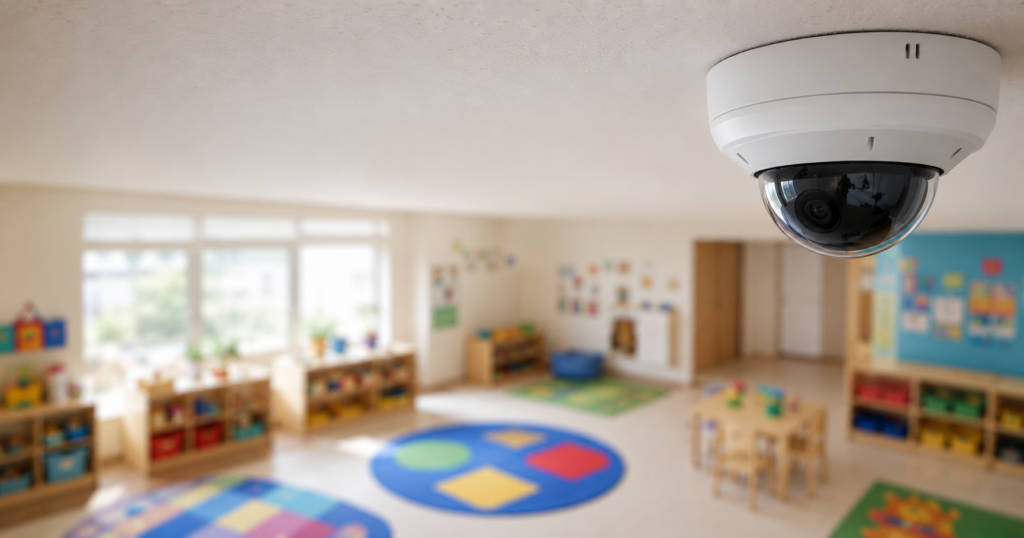
Daycare security cameras exist for those moments. Used well, a camera system is not surveillance of children. It is a record that protects children, protects the adults who care for them, and gives a director something better than memory when a question comes up.
Here is how to think about building one.
Start with the questions you need cameras to answer
Most centers buy cameras backward. They pick a package, mount the cameras wherever the installer suggests, and then discover months later that the one angle they needed was the one they did not have.
Work the other way. Write down the questions your system needs to answer:
- Who came through the front door at 4:47 p.m. on a given day?
- Did the side door latch behind the last person who used it?
- What happened in the two-year-old room between snack and nap?
- Who was in the parking lot when a family’s car was damaged?
- Did the delivery driver actually leave the package, and did they leave through the vestibule or wander into the hallway?
Every one of those questions maps to a specific camera in a specific spot. Build the list first, then build the system to satisfy the list. You will end up with fewer cameras placed better, which almost always beats more cameras placed carelessly.
Where cameras belong in a childcare facility
Entrances and exits. This is non-negotiable. Every door a person can walk through needs coverage, including the ones staff use for smoke breaks and trash runs. Position the camera to capture faces at a usable height, roughly five to six feet, rather than mounting it high in a corner where you get the tops of heads. A camera that records an unidentifiable silhouette is not evidence.
The check-in area. Your sign-in station is the single most valuable camera location in the building. It ties a face to a timestamp to a signature. When a custody dispute or a pickup authorization question comes up later, that one angle usually settles it.
Classrooms and activity rooms. Wide-angle coverage of common areas, not close-ups of individual children. The goal is to see the room, the flow of activity, and the adult-to-child ratio at any given moment. Ratio documentation alone justifies the investment for many centers.
Hallways and transition points. Children move between rooms, to the bathroom, to the gym, to the playground. Hallway coverage closes the gaps between rooms so you never have a stretch of time with no visual record at all.
Playground and outdoor spaces. Outdoor cameras handle two jobs. They document play-time incidents, and they show you who is approaching the fence line. Choose cameras rated for weather and glare, because a washed-out image at 2 p.m. in July is useless.
Parking lots and drop-off lanes. License plate capture at the entrance to the lot gives you a record of every vehicle that came and went. This matters more than most directors expect, particularly in shared lots or centers with street frontage.
Where cameras do not belong. Bathrooms, changing areas, and diapering stations. Ever. Some centers position a camera to cover the doorway of a changing area so you can see who entered and when, without capturing the area itself. That is a reasonable compromise and one worth discussing with your licensing consultant.
Resolution, retention, and the details that matter later
Resolution. The tempting move is to buy the cheapest cameras that fit the budget. The problem shows up when you actually need footage. Aim for cameras that produce a clear, identifiable face at the distance you are covering. For a front door at ten feet, that is achievable with most modern cameras. For a parking lot at eighty feet, it is not, unless you specify the right lens and sensor. Have your provider walk the property and match the camera to the distance.
Low light. Drop-off in December starts in the dark. Pickup in December ends in the dark. Infrared and low-light performance is not a luxury feature for a childcare center in the Midwest, it is the difference between footage and a black rectangle.
Retention. Thirty days is a common baseline. Sixty to ninety days is better. Complaints, licensing questions, and insurance claims frequently surface weeks after the event, and a fourteen-day retention window has a way of expiring the day before you need it. Storage is comparatively cheap. Losing the one clip that would have resolved a dispute is not.
Backup. If your recorder sits in an unlocked closet and someone walks off with it, you have lost everything. Look for cloud backup or a recorder secured in a locked, access-controlled space, ideally both.
Privacy, consent, and the parent conversation
Cameras in a childcare setting raise reasonable questions from families, and the centers that handle this well are the ones that address it before anyone asks.
Put your camera policy in writing and include it in the enrollment packet. Cover four points:
- What is recorded. Common areas, entrances, hallways, playground, parking. Explicitly state that bathrooms and changing areas are not recorded.
- Who can view footage. Typically the director and designated administrators only. Naming the specific roles is stronger than saying “authorized personnel.”
- How long footage is kept and what happens when it expires.
- When footage is released. Most centers limit release to law enforcement, licensing authorities, and legal process. Be clear that parents cannot request video of their child, because any footage of a common area contains other people’s children. This is the point families push back on most, so explain the reasoning up front rather than in the middle of an argument.
Check your state’s requirements as well. Rules on recording, signage, notice, and audio vary, and audio in particular carries different legal treatment than video in many states. Post signage at entrances noting that the premises are monitored. It satisfies notice requirements in most jurisdictions and it deters the casual bad actor.
Live viewing for parents: proceed carefully
Parent-facing live streaming is a popular selling point, and some centers build their whole marketing around it. It also expands your risk surface considerably. Every credential you hand out is a credential that can be shared, guessed, or stolen, and a compromised stream into a room full of children is a serious event.
If you offer it, insist on individual accounts rather than a shared password, multi-factor authentication, automatic revocation when a child unenrolls, and an audit log of who viewed what and when. If your provider cannot supply all four, the feature is not ready for a childcare environment.
Cameras that watch back
Recorded video answers questions after the fact. It does not stop anything from happening. That is the honest limitation of a standard camera system.
Remote video monitoring changes that equation. Analytics identify a person in the parking lot after hours or someone approaching a fence line during nap time, and a trained monitoring agent reviews the live feed and responds in real time, often through on-site speakers. A voice-down announcement that names what someone is doing and tells them they are being watched resolves most situations before anyone needs to call the police. And when police are needed, the operator is dispatching on a verified event rather than an unverified alarm, which moves the call up the priority list.
For a childcare facility, that shift from documentation to intervention is the meaningful upgrade.
Bringing it together
A camera system for a daycare center is not really about cameras. It is about answering questions confidently, protecting the staff who do difficult work every day, and showing families their child is somewhere serious about safety.
Build the coverage list before the equipment list. Set retention longer than you think you need. Write the privacy policy before a parent asks for one. And consider whether your cameras should be recording events or preventing them.
Guardian Alarm has been protecting families and businesses since 1930, with childcare and education clients across Michigan, Ohio, Tennessee, and beyond. If you want a walkthrough of your facility and an honest assessment of your camera coverage, we are glad to help.Call us at 1-800-STAYOUT to get started.
